
How to setup 2FA for Shopify account?
Step-by-step guide to setting up two-factor authentication on Shopify using an authenticator app.
Download Authenticator App
Before we start, download and install the Authenticator App from your device's App Store.



To setup 2FA for your Shopify account with our Authenticator App, you need to follow the next steps:
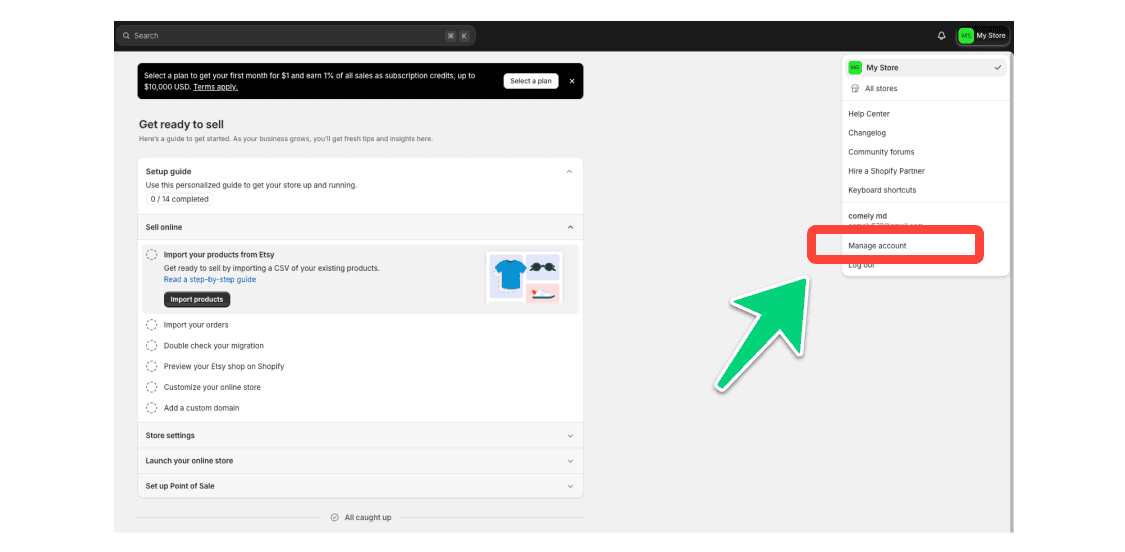
Log in to your Shopify account. Go to the Shopify website and log in to your account.
Go to Account. Click the settings icon in the upper-right corner to open "Manage account".
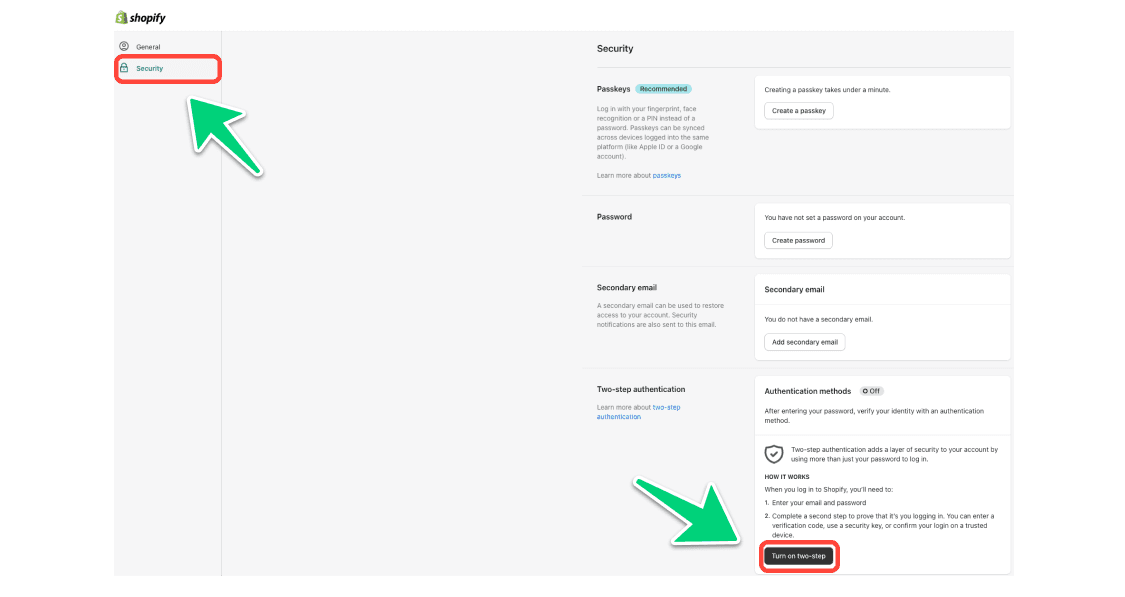
Access Security. In the Security page, click "Turn on two-step".
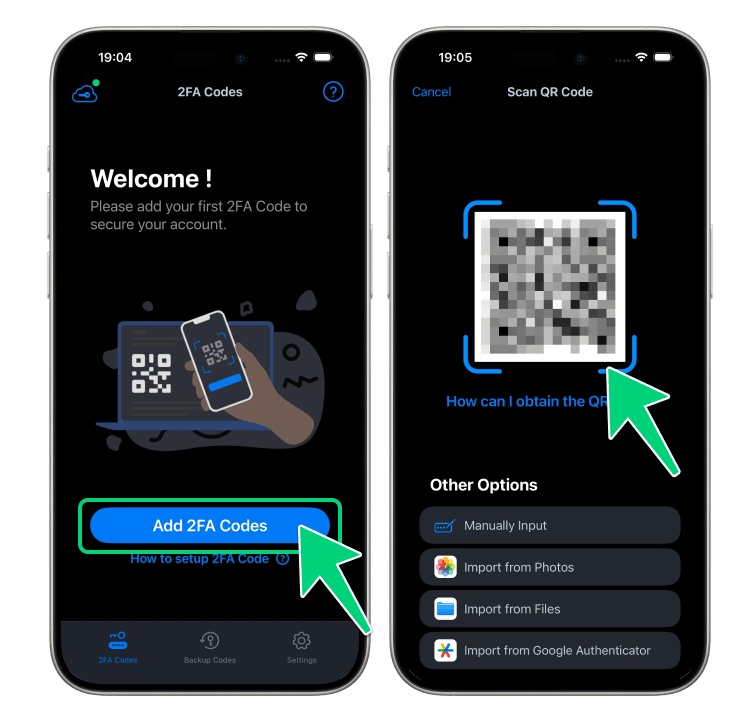
Scan the QR Code. A QR code will be displayed. Open our Authenticator App, tap the [+] button, and scan the QR code displayed.
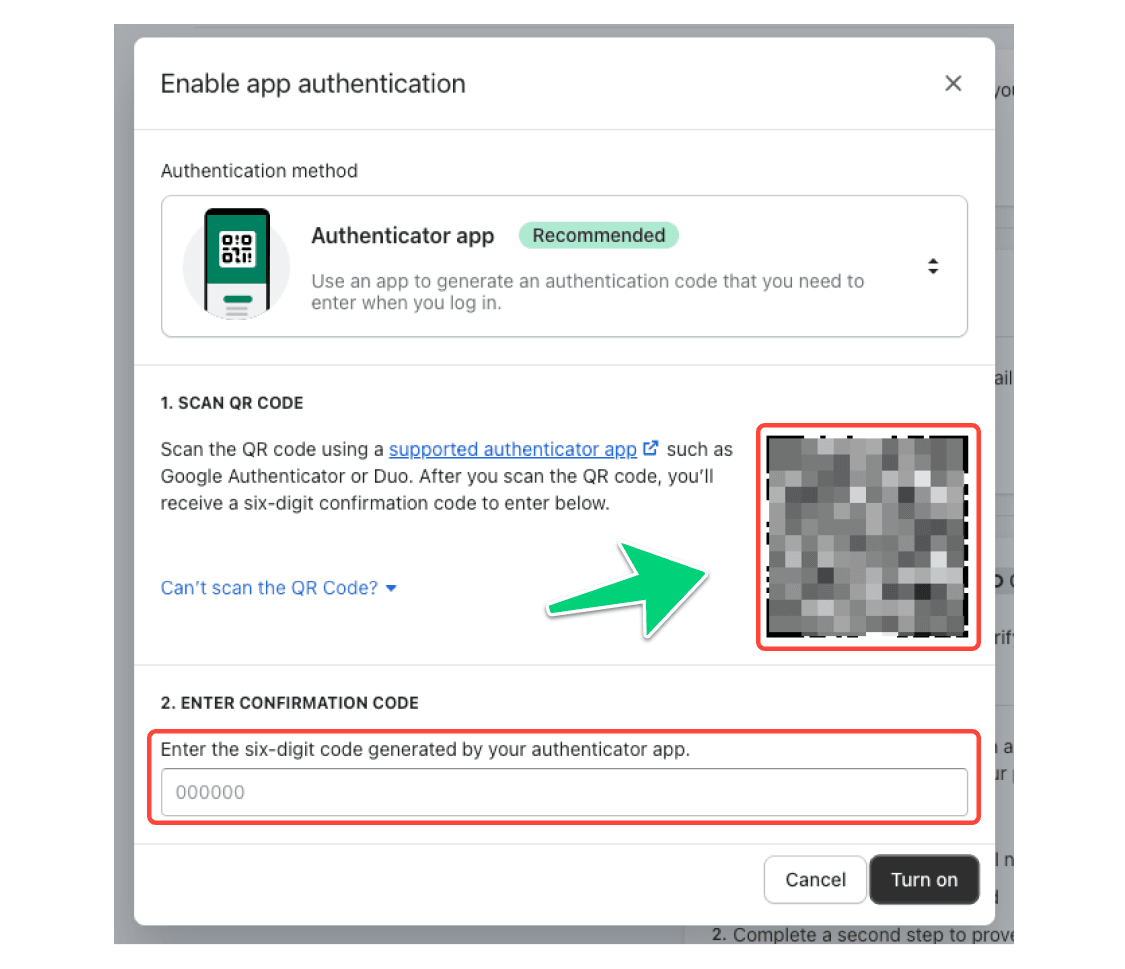
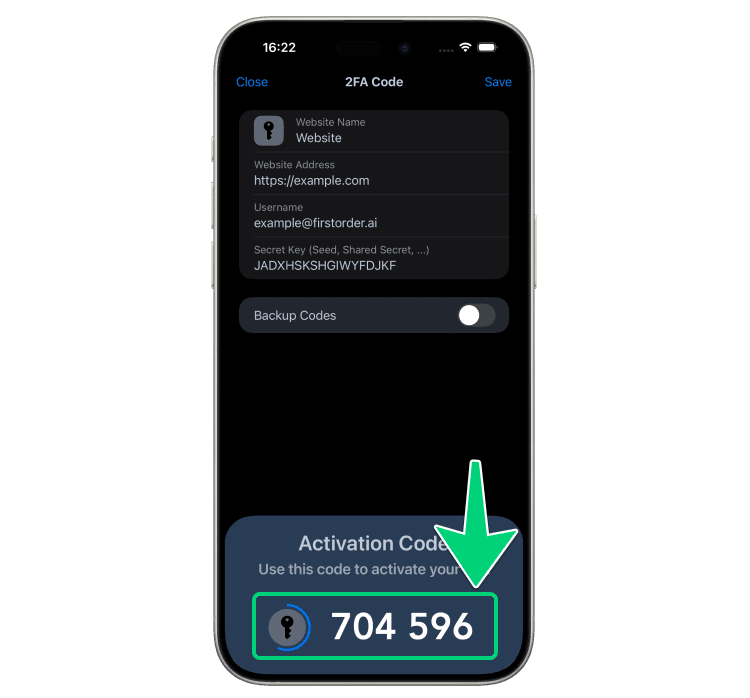
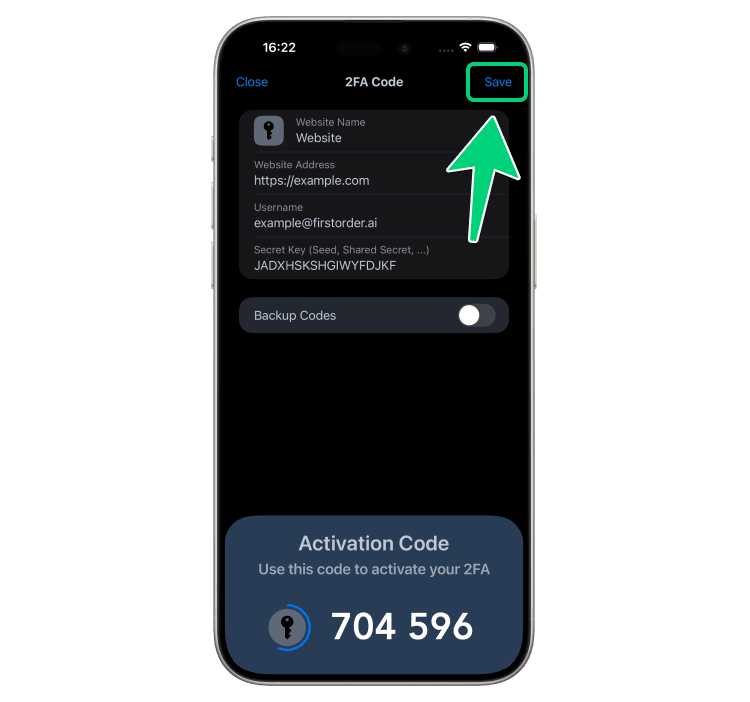
Enter the Verification Code. After scanning, your Authenticator App will generate a 6-digit code. Enter this code into the input field on the step-4 page and click [Turn on]. Note that the code is valid for only 30 seconds. Once verified, click [Save] to complete the setup.
Complete the Setup. You've now enabled two-factor authentication (2FA) for your Shopify account.